

Working at the dining table: a practical setup you can put away
The laptop occupies one end of the table, paperwork spreads across the other and, when dinner is ready, everything moves onto a chair. Working at the dining table can be practical, but it becomes difficult to manage when there is no agreed place for the equipment at the end of the day.
For temporary use, the table needs enough space for the activity and a straightforward way to return to dining. If work occupies many hours every day, consider a dedicated workstation and suitable equipment. A flexible living room should not become a permanent compromise simply because the table was already there.
Occasional tasks or a full working day?
Answering a few messages is different from spending the day with screens, meetings and documents. The first may need only a handful of easily stored items. The second introduces more equipment, a need for concentration and a greater challenge when clearing the surface.
Before buying organisers, list what you actually use: laptop, extra screen, keyboard, mouse, notebook, lamp and any other tools. If you reconstruct a complicated workstation every morning, the problem may be the chosen space rather than a lack of tidy containers.
Consider other household members too. A table needed for meals, homework and work at the same time requires realistic arrangements between people, not merely better-looking storage.
How much tabletop space do you need?
The table’s stated length does not tell you what remains once the equipment is in place. Arrange the items as you use them, leaving room for your hands and forearms rather than working on the edge to squeeze everything in.
Depth matters particularly with an extra screen or several documents. A narrow table may look adequate while empty and become unsuitable after the equipment has been set out.
For two users, do not simply divide the table length in half. Consider space beneath the top, the base, cables and the different activities involved. Our guide to dining table dimensions distinguishes available surface from genuinely usable places.
Setup 1: a laptop and a few materials
For brief, lightly equipped tasks, define one part of the table and keep the rest clear. This makes more than a visual difference: when it is time to lay the table, you know exactly what must move.
Give notebooks and small accessories a nearby storage place. Store the power supply there too when its instructions allow. The container should be close enough to use routinely, but not on a chair someone needs or in a walking route.
Follow the equipment instructions before putting devices and power supplies away. Keep ventilation areas clear during use, and do not turn a closed storage box into a place where equipment continues operating.
A repeatable clearing routine
- Save your work and finish the current activity.
- Return documents and small accessories to their assigned place.
- Handle devices and cables according to their instructions.
- Clean the surface using a method suitable for the tabletop.
- Put back only what the table’s next use requires.
The routine need not meet an invented time target. It just needs to be straightforward enough that you do not postpone it every evening.
Setup 2: a monitor, keyboard and more permanent equipment
As equipment increases, define the working area and check that it does not take over the space needed for other uses. An additional monitor needs connections, a suitable position and somewhere secure to go when meals resume.
If there is no practical storage place, leaving everything assembled may turn the dining area into a workspace in all but name. Compare a desk, a documented fold-away workstation or a different room arrangement at that point.
Our guide to positioning a sofa and dining table helps you consider the wider layout. Adding another activity means deciding which part of the room can genuinely accommodate it.
A dining chair is not automatically a work chair
A chair that feels pleasant over dinner may not suit a prolonged task. The person, tabletop, equipment positions and ability to use the whole setup without awkward adjustments all matter.
Do not choose a chair solely because it fits beneath the table or matches the sofa. For frequent work, assess a seat appropriate to the intended use and the workstation as a whole. This home-organisation guide does not replace an individual ergonomic assessment.
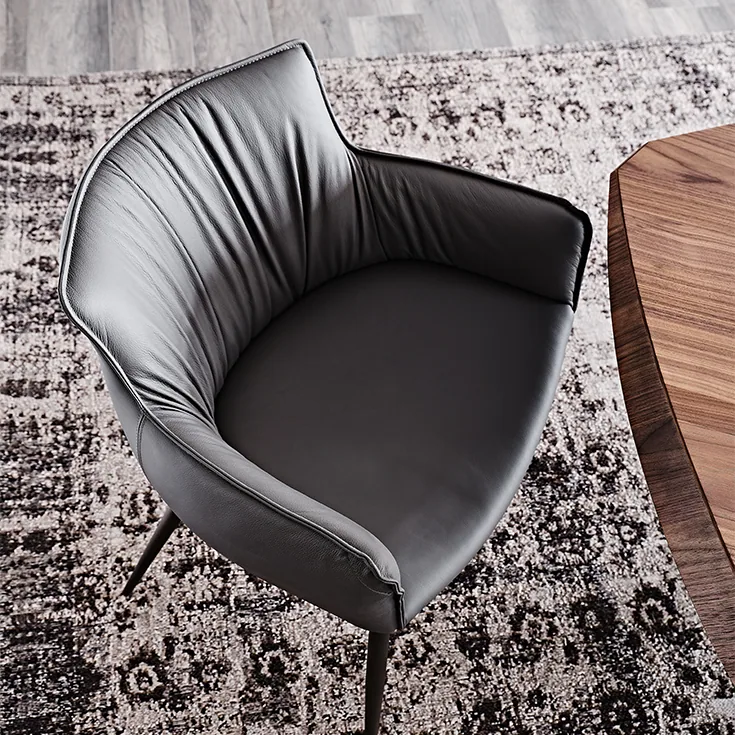
For physical fit, compare seat height, under-table space and any armrests. Our guide to choosing dining chairs covers basic matching considerations, which should be supplemented by the requirements of your work.
Test the lighting with the screen switched on
A table that is well lit for eating may produce distracting reflections once a screen appears. Try the proposed position during the hours you work and look for reflections from windows or lamps on the device and tabletop.
Moving or turning the screen may help, but check that the new position does not obstruct a route or the use of another chair. Solving a reflection should not mean preventing someone else from crossing the room.
If you add a lamp, include its base and cable in the equipment layout. It should improve the setup without occupying the surface you need for the activity itself.
Cables and sockets: plan the route, not just the appearance
Locate the required power supply before choosing the seat. Avoid cables across walking routes or where chairs move. Do not trap them in doors or the table’s extending mechanism.
Follow manufacturers’ ratings, instructions and conditions of use for extension leads and other accessories. If the arrangement requires electrical changes, consult a qualified professional rather than improvising a permanent solution.
A neatly bundled cable is not necessarily well positioned. The arrangement must also remain compatible with ventilation, movement and equipment maintenance.
Protect and clean the tabletop appropriately
Mugs, pens, monitor bases and small accessories all come into contact with the table. Consult its care instructions and use compatible protection where needed. A durable material should not be assumed to tolerate every activity or product.
Avoid universal treatments and cleaners intended for a different surface. Before eating, clear and clean the table as recommended rather than laying places among computers and documents.
If the table extends, remove equipment and manage cables before operating the mechanism. Do not attempt the transformation with connected devices or objects balanced near a moving edge.
When it is time to separate work and dining
If work stays on the table through every meal, equipment has nowhere to go or sharing the room means constant rearrangement, the temporary solution may have reached its limit.
You do not necessarily need another room. Rearranging furniture, removing an underused item or assigning a specific part of the living room to work may be enough. A dining table succeeds as a flexible workspace when it can readily become a dining table again.
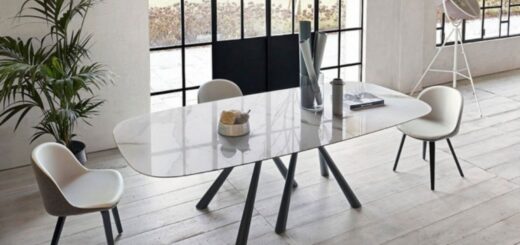
Featured image: Big Table, Bonaldo. For temporary work use, assess legroom, light from the side and how easily the tabletop can be cleared. Photo credits: www.arredaremoderno.com.